
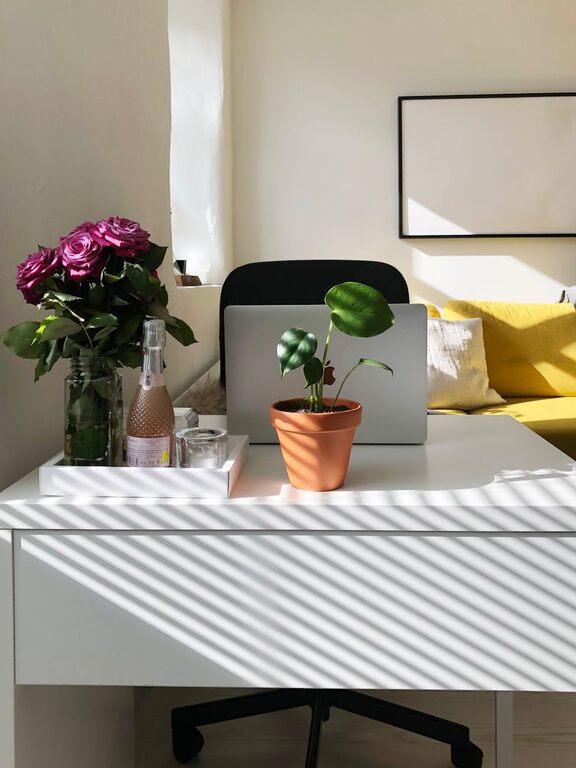
Creating a cozy and functional home workspace can significantly improve your productivity and overall work experience. Whether you work remotely full-time, have a side hustle, or need a dedicated area for studying, setting up a space that feels inviting yet efficient is key. Here are practical tips to help you design a home workspace that balances comfort with functionality.
Choose the Right Location
Finding the perfect spot in your home is the first step. Consider areas that are quiet, have enough natural light, and minimal distractions.
– Natural Light: Position your desk near a window to enjoy daylight, which can reduce eye strain and boost mood.
– Away from Noise: Pick an area away from household traffic, TVs, or noisy appliances.
– Space for Movement: Make sure you have enough room to move around comfortably and store essential items.
Invest in Comfortable and Ergonomic Furniture
Comfort plays a huge role in maintaining focus and avoiding strain during long work hours.
– Ergonomic Chair: Choose a chair that supports your back and promotes good posture.
– Desk Size: Select a desk that accommodates your computer, notebooks, and other tools without feeling cramped.
– Adjustable Options: Adjustable desks or chairs can help you switch between sitting and standing, improving circulation and energy.
Optimize Lighting
Good lighting can reduce eye fatigue and create a welcoming atmosphere.
– Layered Lighting: Use a combination of natural light, overhead lighting, and task lighting like desk lamps.
– Adjustable Lamps: A lamp with adjustable brightness or direction helps tailor light to your tasks.
– Avoid Glare: Position screens and lights to reduce glare on your computer and work surfaces.
Keep It Organized
Clutter can distract and reduce productivity. Create an organizational system to keep your workspace tidy.
– Storage Solutions: Use shelves, drawers, or organizers to keep supplies in place.
– Cable Management: Tidy cables with clips or sleeves to reduce mess and avoid tripping hazards.
– Daily Tidying: Spend a few minutes each day to clear your workspace, helping maintain a clean and inviting environment.
Personalize Your Space
Adding personal touches can make your workspace more enjoyable and inspiring.
– Plants: Indoor plants improve air quality and add a calming element.
– Artwork or Photos: Decorate with items that motivate or soothe you.
– Color Choices: Use colors that suit your mood—soft neutrals for calmness or bright colors for energy.
Incorporate Functional Technology
Technology should enhance your workflow, not hinder it.
– Reliable Internet Connection: Ensure you have strong, stable internet for uninterrupted work.
– Efficient Equipment: Invest in a good quality computer, keyboard, and mouse.
– Accessories: Headphones, external monitors, or printers can improve productivity based on your needs.
Establish Boundaries
Separating work and personal life helps maintain balance.
– Defined Workspace: Clearly define your workspace, even if it’s part of a larger room.
– Work Hours: Set specific work hours to avoid burnout.
– Break Areas: Have a separate spot for breaks to physically disconnect from work tasks.
Add Comfort Elements
Small comfort additions make long work sessions easier.
– Soft Textiles: Include a cozy rug, cushions, or a soft blanket.
– Temperature Control: Use a fan, heater, or window adjustments to keep a comfortable temperature.
– Refreshments: Keep a water bottle or a cup of your favorite beverage nearby.
Regularly Refresh Your Setup
Your work needs and preferences might change over time.
– Rearrange Occasionally: Change the layout to bring fresh energy.
– Update Supplies: Replace worn-out items or upgrade equipment as needed.
– Seek Feedback: If you share your space, regularly discuss improvements to keep it functional for everyone.
Final Thoughts
Designing a cozy and functional home workspace is about balancing comfort, organization, and practicality. By paying attention to lighting, furniture, personalization, and boundaries, you create an environment that supports focus and wellbeing. Take your time to experiment and adjust, making your workspace a place you enjoy spending time in every day.