
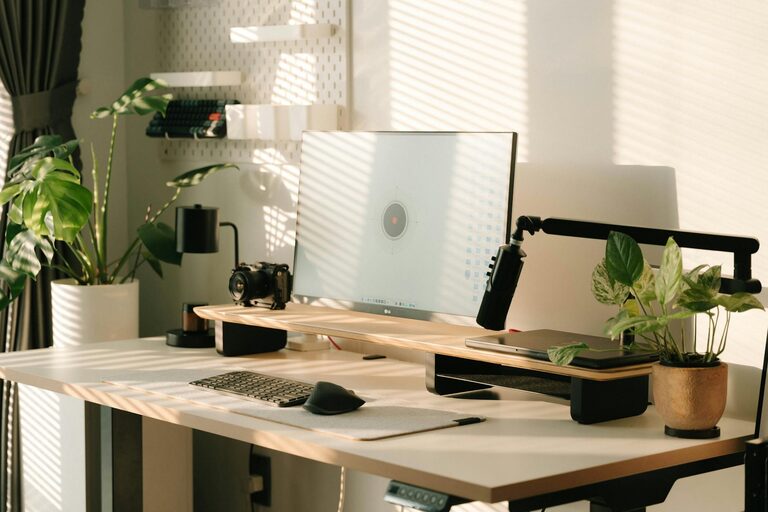
Creating a productive home office environment is essential for anyone working remotely or running their own business from home. A well-designed workspace not only helps you stay organized but also improves focus, reduces stress, and increases overall work satisfaction. In this post, we’ll explore practical tips on how to set up a home office that promotes productivity and comfort.
Choose the Right Location
Selecting the right spot for your home office is the first step. Ideally, pick a quiet area in your home where interruptions are minimal. Some considerations include:
– Natural Light: Work near a window when possible. Natural light boosts mood and reduces eye strain.
– Privacy: Choose a room or corner where family members or roommates won’t frequently walk in.
– Space: Ensure there’s enough space for your desk, chair, and any necessary equipment.
If space is limited, consider using a room divider or screen to create a designated workspace that separates work from home life.
Invest in Ergonomic Furniture
Comfort and health are crucial when you spend hours at your desk. Ergonomic furniture supports proper posture and reduces the risk of discomfort or injury.
– Ergonomic Chair: Choose a chair with lumbar support, adjustable height, and comfortable cushioning.
– Desk Height: Your desk should allow your forearms to rest parallel to the floor when typing.
– Monitor Position: Place your monitor at eye level so you don’t have to strain your neck.
Standing desks or adjustable sit-stand desks are also excellent options for alternating between sitting and standing throughout the day.
Organize Your Space Effectively
A cluttered workspace can hamper productivity. Keeping your home office tidy helps maintain focus and saves time looking for materials.
– Storage Solutions: Use shelves, drawers, or filing cabinets to store documents and supplies.
– Desk Organization: Use organizers or trays to keep pens, notes, and gadgets neatly arranged.
– Cable Management: Use clips or cable sleeves to keep cords under control and avoid tangling.
Make it a habit to declutter your desk at the end of each workday to start fresh the next morning.
Optimize Lighting and Air Quality
Proper lighting and fresh air make a big difference in your ability to concentrate and feel energized.
– Task Lighting: Use desk lamps with adjustable brightness to reduce shadows and glare.
– Avoid Screen Glare: Position your monitor to minimize reflection from windows or overhead lights.
– Ventilation: Keep windows open when possible or use an air purifier to maintain air quality.
– Plants: Adding a few indoor plants can improve air quality and create a calming atmosphere.
Establish Boundaries and Routine
Working from home can blur the lines between personal and professional time. Setting boundaries helps maintain work-life balance.
– Work Hours: Set consistent start and end times to create structure.
– Break Times: Take regular breaks to stretch, hydrate, and rest your eyes.
– Dress Code: Dressing as if you were going to the office can help signal your brain to focus.
Communicate your working hours with household members to reduce interruptions.
Minimize Distractions
Reducing distractions allows for deeper focus and better productivity.
– Noise Control: Use noise-canceling headphones or play white noise if your environment is noisy.
– Digital Detox: Turn off non-essential notifications on your phone or computer.
– Dedicated Work Tools: Use separate devices or accounts for work and personal matters when possible.
Personalize Your Space
Adding personal touches makes your office inviting and inspiring.
– Artwork: Hang prints or photos that motivate or relax you.
– Colors: Choose wall colors or accessories that create a mood you enjoy.
– Comfort Items: A cozy blanket or ergonomic footrest can boost comfort.
Use Technology Wisely
Leverage technology to streamline work processes.
– Reliable Internet: Ensure high-speed, stable internet service.
– Productivity Apps: Use calendars, task managers, or time-tracking tools to stay organized.
– Backup Solutions: Regularly back up important files to prevent data loss.
—
By crafting a home office tailored to your needs, you empower yourself to work more effectively and enjoy the benefits of remote work. Start with these tips, adjust as you go, and create a workspace where you can thrive every day.